If you are searching for PawChamp refund or even considering a chargeback, it usually means you want to reverse a recent subscription payment or stop further billing. In most cases, this situation is resolved much more efficiently through the official refund process rather than involving your bank.
PawChamp provides a structured Money-Back Guarantee system designed specifically for this purpose, allowing users to resolve payment concerns directly with support.
PawChamp Refund: How It Works
A PawChamp refund is issued under the official Money-Back Guarantee and applies to eligible purchases made on the website.
Refund eligibility is based on a defined set of conditions. PawChamp Money-Back Guarantee Rules apply only to subscriptions purchased directly through the PawChamp website.
To be eligible, the following conditions must be met:
- you reach out within 30 days of buying (and your subscription is still active)
- you followed the course for 7 days in a row in your first month
- you finished the first module
- you contacted our experts at least twice and tried their advice
- you can tell us briefly what didn’t work for your dog.
How to Request a PawChamp Refund
The refund process is handled directly through support and does not require any external tools or bank involvement.
A clear request should include the account email, purchase date, and a short explanation of the reason for cancellation. In most cases, this is enough for the support team to locate the subscription and review the request under the Money-Back Guarantee.
If you noticed any of the following charges on your bank or credit card statement — paw-champ.com, PAW-CHAMP.COM, PAWCHAMP, PAW-CHAMP and have questions about a charge or would like to request a refund, please don’t hesitate to contact PawChamp support directly at support@paw-champ.com or https://paw-champ.com/contact-us/
It is also important to ensure that the subscription is properly canceled. Stopping auto-renewal prevents additional charges and avoids confusion where users assume they have already fully unsubscribed.
Why Refund Requests Often Succeed
Based on user feedback across review platforms such as Trustpilot, many successful cases are resolved directly through the official refund process without involving any external dispute systems. In most situations, users who follow the correct refund flow and provide basic information receive a resolution within a short timeframe.
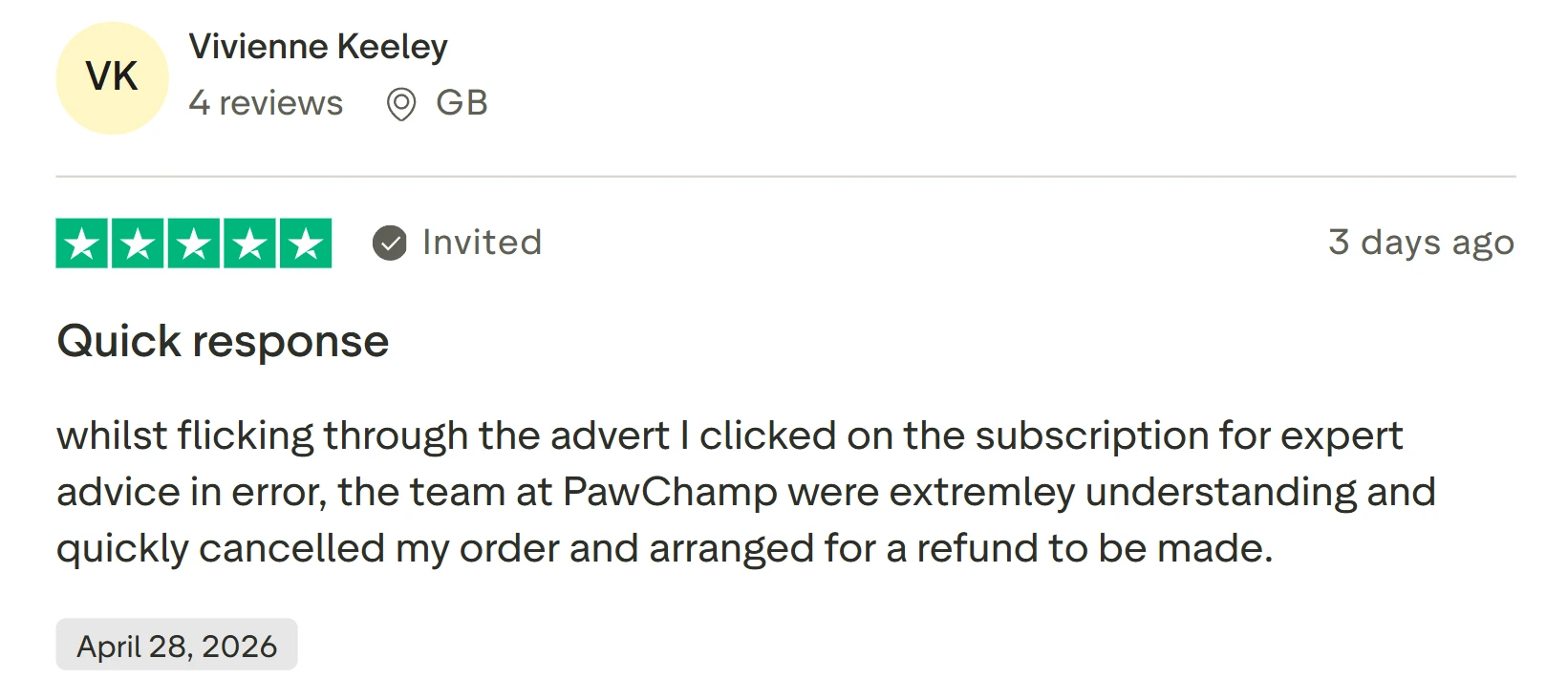
A common pattern in negative reviews is not the refund process itself, but situations where users failed to cancel the subscription, which resulted in continued billing and misunderstanding.
PawChamp Chargeback: What Users Should Consider
Some users search for PawChamp chargeback when they want to reverse a payment through their bank. However, this is not the recommended first step.
Chargeback procedures are handled by financial institutions and are separate from the PawChamp system. While they are available as a general banking function, they often introduce additional delays and require formal investigation, which can slow down resolution compared to the standard refund process.
For subscription-related issues, the official refund channel is the intended and more direct solution path.
Final Recommendation
If you’re searching for a PawChamp refund or chargeback, the most effective approach is to follow the official refund flow instead of starting a bank dispute.
First, make sure you cancel your PawChamp subscription to stop auto-renewal and prevent further charges. This can be done in your account settings or via your payment provider. Canceling ensures there are no additional payments after the current billing cycle.
For a detailed walkthrough of all available cancellation methods, including App Store, Google Play, and support cancellation, read the full guide on How to Cancel PawChamp Subscription.
Next, submit a PawChamp refund request through the official support channel. This is the fastest and most reliable way to resolve billing issues without delays.
Contact support:
- Email: support@paw-champ.com
- Contact page: https://paw-champ.com/contact-us/
In your message, include your account email, purchase date, and a short explanation. Clearly state that you want to cancel and request a refund under the Money-Back Guarantee.
While some users look into PawChamp chargeback, this step is usually unnecessary when there is a clear and working refund process available. Chargebacks do not manage your subscription status inside the platform.
The recommended flow is simple: unsubscribe → contact support → request refund. This approach helps you stop PawChamp charges and get your money back through the official and transparent process.
Where the legal industry reads first.
Enjoyed this article? Get the biggest legal industry updates, deals, appointments, insights and expert interviews in your inbox, free.
No spam. Unsubscribe anytime.From Legal Desire
Is your firm the one being cited, or the one being skipped?
We ran the test. On several everyday legal questions, software companies are answering and law firms are not. We help firms fix that, and we build the technology behind the practice.
Lawyers and firms: get featured on Legal Desire
Share your deals, lateral moves, firm news and insights with 1M+ monthly readers: founders, law firm partners, general counsel and practising lawyers across the US, UK, EU and GCC.
Get featuredSubmit a press release